 HP 3000 Manuals HP 3000 Manuals




Generating an Installed Products Report
The MPTPROD program (MPTPROD.MPT.TELESUP) generates a report that enables
you to identify Hewlett-Packard products installed on the system being
analyzed. The purpose of this report is to alert you to the existence of
products on your MPE V/E-based system. A full product integrity check is
not actually performed for this report; rather, the system is checked to
see if the proper files and system SL segments are present for each
product. Installed product reports are created separately from the MPTDB
database.
1. Specify an Output Device: To direct MPTPROD output to a device
other than $STDLIST, use the :FILE command to equate the formal
file designator LIST to the output device of your choice.
2. Run the installed products report generation program: You run the
program MPTPROD by entering the following command:
: RUN MPTPROD.MPT.TELESUP
The MPTPROD program collects data by scanning the MPE V/E-based system
directly. The MPTPROD program does not log its results into the MPTDB
database but rather produces a finished report directly.
Figure I-2 is a sample of an MPT Installed Products Report.
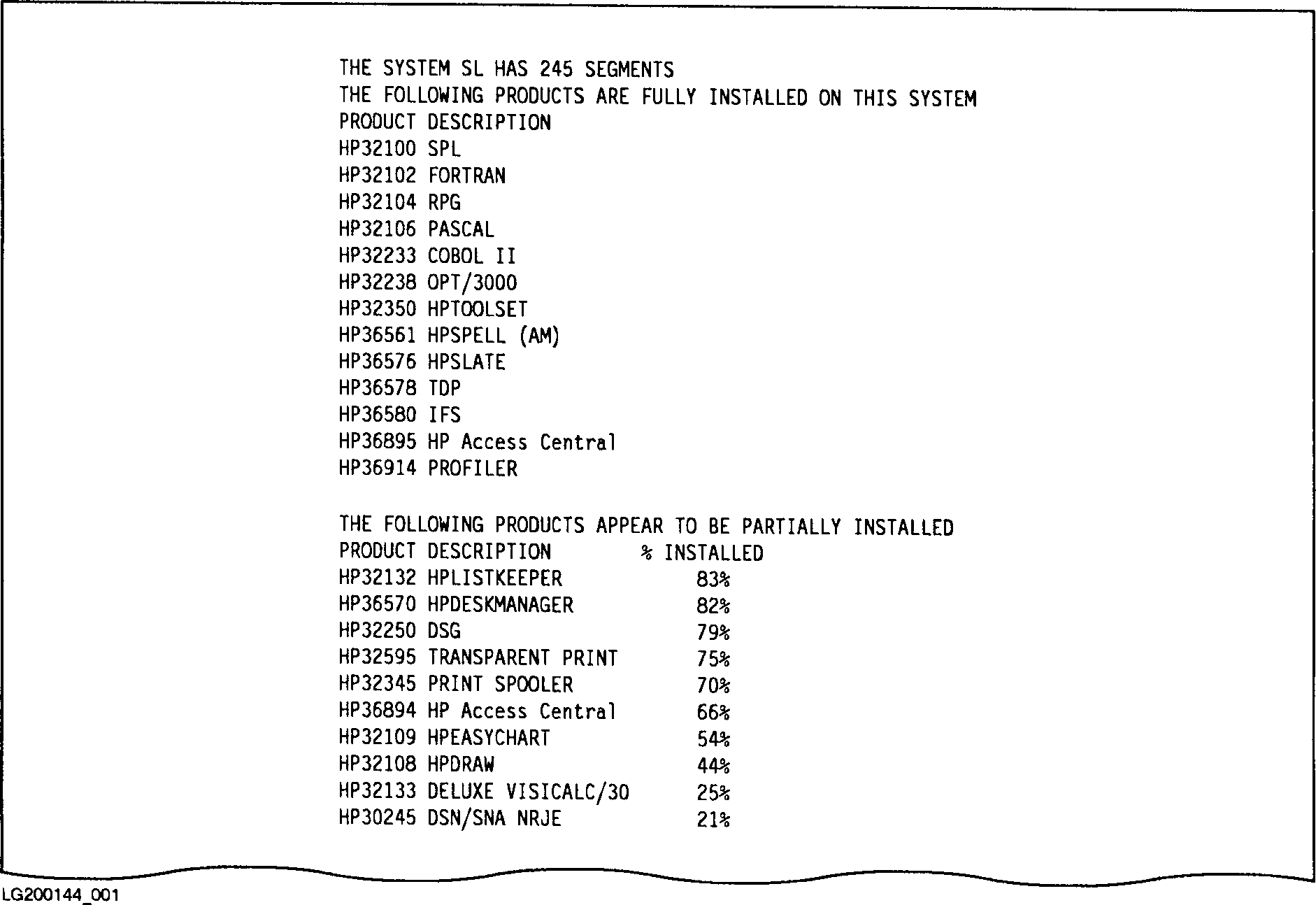 Figure I-2. Sample MPT Installed Products Report
The first part of the report generated by MPTPROD lists Hewlett-Packard
products that are fully installed on the system. A product is considered
fully installed if all system SL segments unique to the product are found
in SL.PUB.SYS and if the required disk files for the product (or a core
set of them) are present on the system.
The second part of the report generated by MPTPROD lists products that
appear to be at least partially installed. A product is considered
partially installed if all system SL segments unique to the product are
found in SL.PUB.SYS and at least one of the required disk files is found.
(It is possible that there are no required SL segments for this product).
The % INSTALLED column is the percent of files required by the product
actually found by MPTPROD.
Figure I-2. Sample MPT Installed Products Report
The first part of the report generated by MPTPROD lists Hewlett-Packard
products that are fully installed on the system. A product is considered
fully installed if all system SL segments unique to the product are found
in SL.PUB.SYS and if the required disk files for the product (or a core
set of them) are present on the system.
The second part of the report generated by MPTPROD lists products that
appear to be at least partially installed. A product is considered
partially installed if all system SL segments unique to the product are
found in SL.PUB.SYS and at least one of the required disk files is found.
(It is possible that there are no required SL segments for this product).
The % INSTALLED column is the percent of files required by the product
actually found by MPTPROD.
NOTE Some Hewlett-Packard products have files which are purged as a part
of the installation process. It is normal for these products to
show up as less than fully installed. Products that are not
installed are not listed.