MPE/iX 5.0 Documentation




HP DeskManager Intrinsics
An Overview of the Intrinsics Software
The components of the HP Desk Intrinsics product are:
* The Intrinsics "stubs" installed in the system Software Library
(SL) so they are available to programs running in any group or
account. The corresponding procedure definitions are installed in
the system Intrinsics definitions file. This allows the HP Desk
Intrinsics to be called in the same way as the MPE Intrinsics.
(On MPE/XL, the stubs are also available in the system XL, and can
therefore be called by native mode programs.)
* The Intrinsics Driver program called INTRNSON.HPMAIL.SYS.
* The Intrinsics Gateway Manager program called INTRGMGR.HPMAIL.SYS.
* The Message Catalogue file called INTRNCAT.MAILLIB.HPOFFICE.
* The Transaction File Editor program called INTRNBRW.HPMAIL.SYS.
This allows the on-line creation, reading and editing of
Transaction Files which are to be submitted to or generated by the
Intrinsics.
* A series of "include" files containing record and constant
definitions to aid programmers in accessing a Transaction File.
It may help you to have some background information about how the
Intrinsics software works, however, you do not need to understand this in
order to use the Intrinsics.
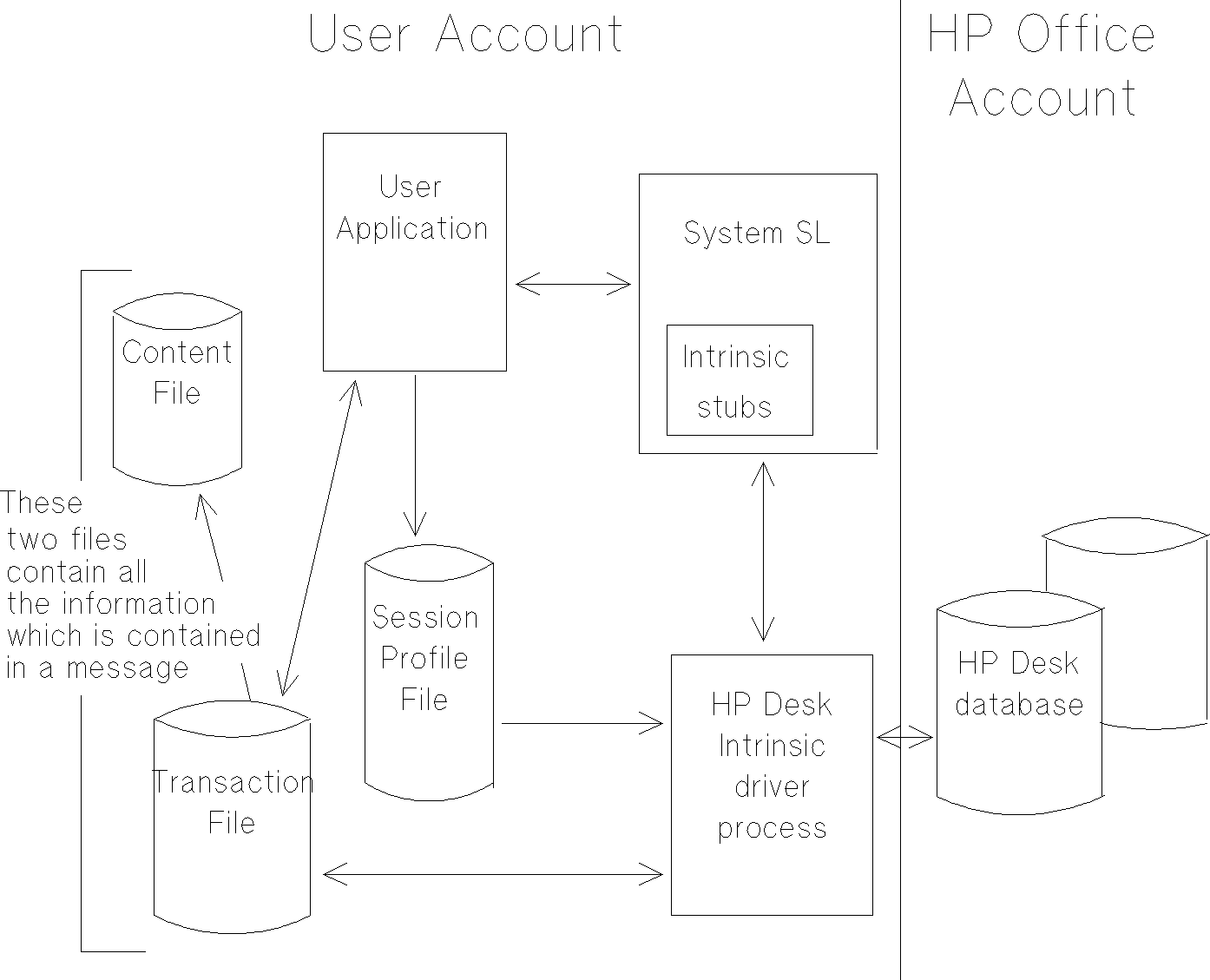
When a user application wants to make use of the Intrinsics, it calls the
Intrinsic "stubs" which are installed in the system software library.
The stubs do not actually perform the Intrinsic functions, these are
performed by a separate Driver process created and controlled by the
stubs. Note that it is only the Intrinsics Driver process that actually
accesses the HP Desk database--this provides for greater security from
the application. In other words the stubs channel data between the
calling application and the Driver process.
The Driver process is a son process created and controlled by the
Intrinsics code. The stubs communicate with the Driver process by using
IPC files. An overview of this structure is given in the following
diagram:
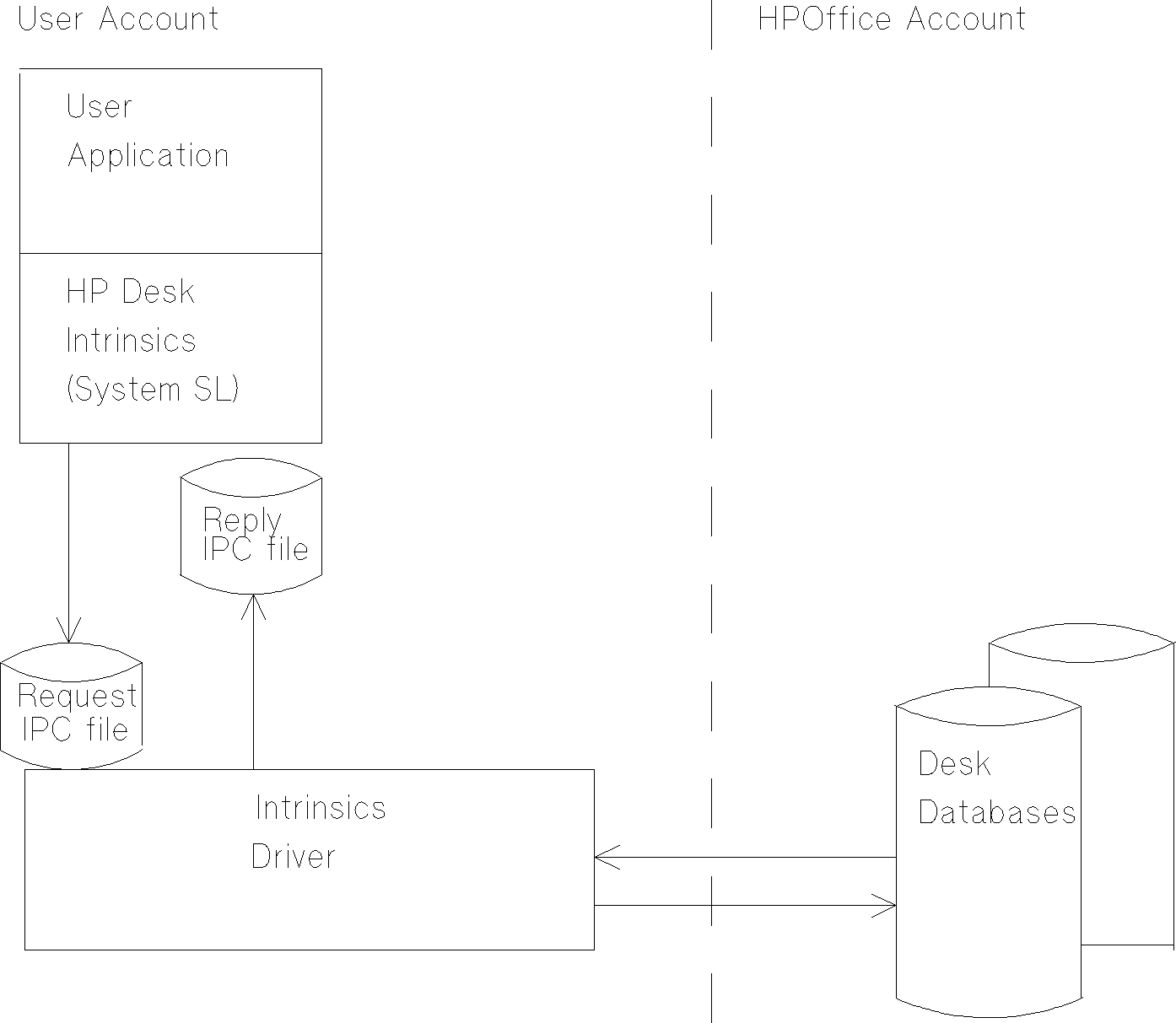
The Request IPC file is used to pass Intrinsics request from the stub
routines or the Intrinsic Gateway Manager to the Driver. The file exists
as a permanent file in the group and account of the application.
The Reply IPC file is used to pass replies to Intrinsic requests from the
Driver back to the stub routines. The file exists as a temporary file in
the group and account of the application.
Both files are created when the Driver starts up, and deleted when the
Driver stops (providing that the Driver has been correctly terminated
using the HPDTerminate intrinsic). The name of the files are HPDIpin
where pin is the MPE pin number of the Driver process. If there are
several Drivers running on a machine (because several programs are
calling the HP Desk Intrinsics), there will be one Request and one Reply
file for every copy of the Driver.
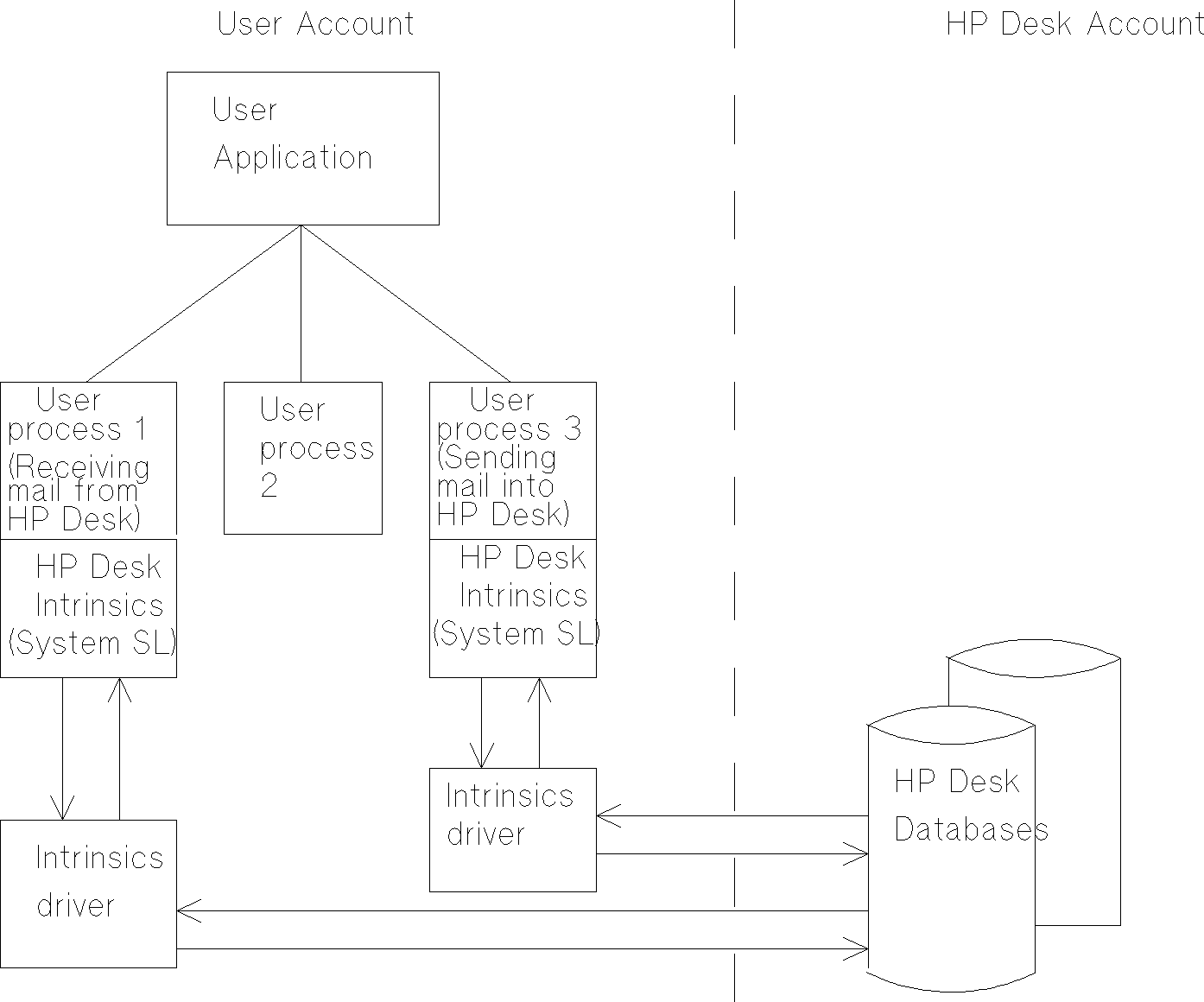
There may be several instances of Intrinsics code and Driver programs in
a process tree. However, any single application process may only have
one currently active Intrinsics Driver process directly under it. The
kind of situation which could occur is shown below:
A Transaction File is used to pass messages and other information from
the Driver process to the calling user application and vice versa. If
the information being passed is a message, the content of the message is
held in a content file which is referenced by the Transaction File. The
content file is an MPE file. Transaction Files are explained in detail
in Chapter 6 .
The Session Profile file allows a user to vary the way the Intrinsics
work in particular cases by supplying configuration information at sign
on time. For example, whether foreign addressing information is to be
used or not. The Session Profile is explained in detail in Chapter 8
(*).
Password access is required if using the HPDUserSignon or HPDGateSignon
Intrinsics before any processing can be performed by an application.
This provides for extra level of security.
MPE/iX 5.0 Documentation
 HP 3000 Manuals